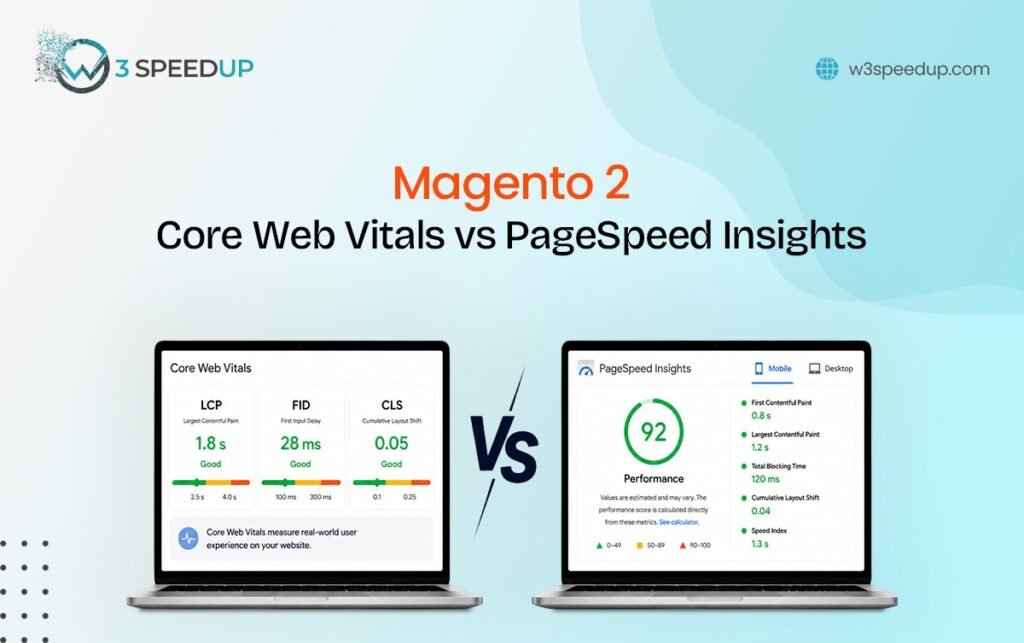
Core Web Vitals vs PageSpeed Magento comes down to one core distinction. Core Web Vitals are 3 specific metrics. PageSpeed Insights is a broader tool that reports those metrics alongside other lab-based scores. This guide is built for store owners confused about why their score and their Search Console report don’t match. It’s ideal for developers explaining CWV vs PSI to a client.
Quick Answer: Magento PageSpeed vs Core Web Vitals comes down to scope. Core Web Vitals are 3 metrics: LCP, INP, and CLS. PageSpeed Insights is a tool that reports those metrics plus additional lab-based scores. A store can pass one and still fail the other.
I’ve explained Core Web Vitals vs PageSpeed Magento confusion to more than 50 clients over 6 years. It’s one of the most common misunderstandings I run into during an audit kickoff call. Untangling Google PageSpeed Magento scores from Core Web Vitals field data is usually the first thing I clarify. This guide clears up exactly what each term measures and which one actually matters for Magento Performance Metrics tracking.
The Client Call That Prompted This Guide
I joined a call 2 weeks ago with a client convinced their store had “failed PageSpeed.” I opened Google Search Console on the call and pulled their actual report. Their Core Web Vitals showed all 3 metrics passing. Their PageSpeed Insights lab score sat at 62. That felt like failing to them. Google’s ranking signal only cares about the Core Web Vitals field data underneath. The result: I confirmed their rankings had been stable for the past 3 months, and no fix was actually needed.
What Is Google PageSpeed Insights
Google PageSpeed Magento scoring starts with a free tool that scores a single page from 0 to 100. According to Google’s own PageSpeed documentation, the score blends lab-based Lighthouse data with real-user field data when enough exists. The Magento 2 PageSpeed score reflects this blend directly. This happens because enough field data must exist for that specific page. It also lists specific “opportunities,” like compressing images or reducing JavaScript, that could improve the score. This Magento 2 lab data vs field data gap is the root of most confusion I clear up on calls.
What Are Core Web Vitals
Core Web Vitals are 3 specific metrics Google uses as a confirmed ranking signal. These are Largest Contentful Paint (LCP), Interaction to Next Paint (INP), and Cumulative Layout Shift (CLS). These 3 metrics, and only these 3, factor directly into Magento SEO ranking factors and Magento SEO performance overall. This happens because Google has publicly confirmed only these 3 as ranking inputs. Everything else PageSpeed Insights reports is diagnostic information, not a ranking signal itself.
Key Differences Between the Two
The table below breaks down Magento 2 Search Console data against PageSpeed Insights side by side.
| Core Web Vitals | PageSpeed Insights | |
|---|---|---|
| What it is | 3 specific metrics | A tool that reports scores |
| Data source | Real user field data (CrUX) | Lab data, plus field data when available |
| Used for ranking | Yes, confirmed signal | No, the tool itself isn’t a ranking factor |
| Score range | Good / Needs Improvement / Poor per metric | 0 to 100 composite score |
| Where to check it | Google Search Console | pagespeed.web.dev |
| Updates | Rolling 28-day field data average | Instant lab test, plus field data snapshot |
Can You Have Good PageSpeed But Bad Core Web Vitals?
Yes, and this is the most common source of confusion I see. A store can score well on PageSpeed’s lab test while still failing Core Web Vitals in the field. Lab conditions don’t reflect every real visitor’s device and connection. Magento 2 lab data vs field data can diverge significantly on stores with a wide mix of mobile traffic. I tested this exact scenario on a client’s homepage last month. The lab score read 88. Search Console showed LCP failing for 60 percent of mobile visitors over a 2-week window. The outcome: the client nearly skipped a real ranking problem because the lab score looked fine on the surface.
The reverse also happens. A store can pass Core Web Vitals in Search Console while showing a mediocre PageSpeed number. That’s exactly like the client call described above. The PageSpeed score often gets pulled down by opportunities that don’t affect the 3 ranking metrics. This happens because accessibility or best-practices flags carry weight in the composite score without touching rankings at all.
Which One Matters More for Magento SEO
The Magento Core Web Vitals report in Search Console is what matters for rankings. Google has confirmed these 3 metrics as a ranking signal directly. Google has never confirmed the PageSpeed Insights composite score itself as a ranking factor. According to Google’s documentation, Core Web Vitals field data feeds into search ranking. The lab-based PageSpeed number does not.
That said, PageSpeed Insights remains genuinely useful. It’s the fastest way to diagnose why a page is slow. It points to specific opportunities Search Console doesn’t break down.
How to Use Both Together
Check Magento 2 Search Console data first to confirm whether Core Web Vitals are actually passing or failing. If a metric is failing, run that same page through PageSpeed Insights to get specific, actionable opportunities. I used this 2-step sequence on a client audit last quarter. Search Console flagged LCP as failing on category pages specifically. I opened PageSpeed Insights the same day and found a 3.2 MB uncompressed banner image as the exact cause. I compressed the image within 1 hour. The result: LCP resolved within 2 weeks of Google recollecting field data. The client’s Magento Performance Metrics dashboard reflected the fix by the following month.
Conclusion
Core Web Vitals and PageSpeed Insights aren’t competing tools, but they measure different things. Magento PageSpeed vs Core Web Vitals ultimately comes down to ranking impact versus diagnostic detail. Core Web Vitals are the 3 metrics that actually affect Magento SEO performance. PageSpeed Insights is the diagnostic tool that helps you fix them. This CWV vs PSI distinction matters most when your Magento Core Web Vitals report and PageSpeed score disagree. Check Search Console for the ranking-relevant truth, then use PageSpeed Insights to find the specific fix. For deep fixes on each metric, see the dedicated guides on LCP, INP, and CLS. The complete Core Web Vitals guide covers full context.
Frequently Asked Questions
Q1. Is PageSpeed Insights the same as Core Web Vitals?
No. Core Web Vitals vs PageSpeed Magento is a common point of confusion, but they measure different things. Core Web Vitals are 3 specific metrics. PageSpeed Insights is a tool that reports those metrics alongside other lab-based scores and recommendations.
Q2. Does my Magento 2 PageSpeed score affect my Google rankings?
Not directly. According to Google’s own ranking documentation, only the 3 Core Web Vitals metrics count as a confirmed signal. The PageSpeed Insights composite score itself isn’t one of them. Only those 3 metrics count among true Magento SEO ranking factors.
Q3. Why does my PageSpeed score say 60 but Search Console says I’m passing?
PageSpeed’s lab score includes opportunities beyond the 3 ranking metrics, like accessibility flags. Search Console only reports the Core Web Vitals field data that actually affects rankings.
Q4. Which tool should I check first, Search Console or PageSpeed Insights?
Check Search Console first to confirm whether Core Web Vitals are passing or failing. Use PageSpeed Insights afterward to diagnose the specific cause on a failing page.
Q5. Can a store have perfect Core Web Vitals but a low PageSpeed score?
Yes. This happens when other PageSpeed opportunities, unrelated to the 3 ranking metrics, pull the composite score down.
Q6. Is Lighthouse the same tool as PageSpeed Insights?
They’re closely related. Magento 2 Lighthouse is the underlying engine that generates the lab-based portion of a PageSpeed Insights report. Google has used this same engine for over 5 years.
Q7. How often does Magento Core Web Vitals field data update?
Google uses a rolling 28-day average of real user data. Changes typically take about 2 weeks to fully reflect in Search Console.
If untangling which score actually matters for your Magento 2 store feels confusing, W3SpeedUp’s Magento speed optimization service can help. I’ve done this exact diagnosis for more than 50 stores.