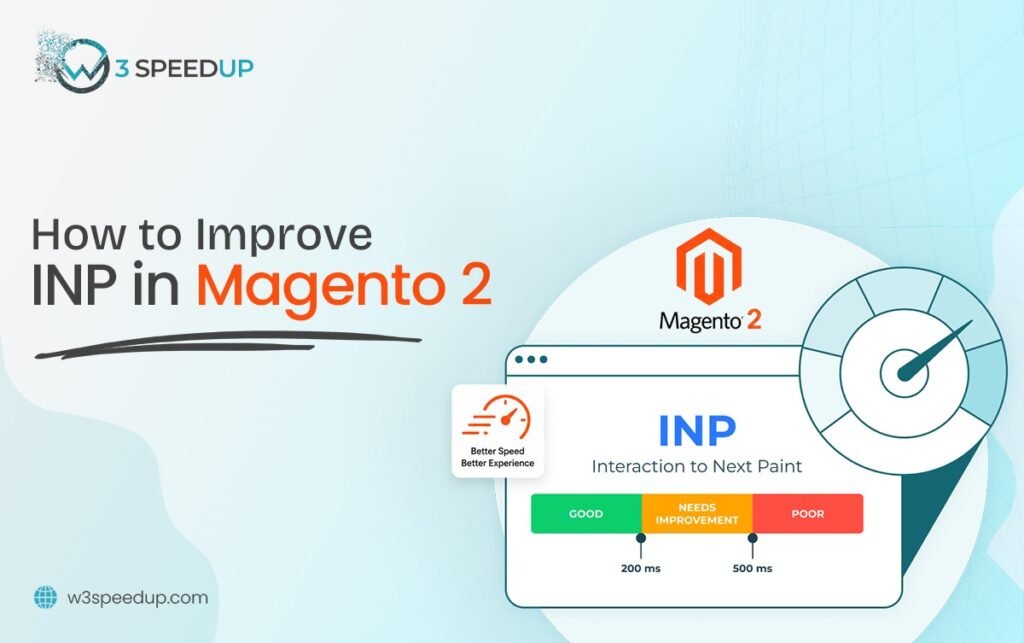
Magento 2 INP is the Interaction to Next Paint score Google assigns to a page. It measures the delay between a shopper’s tap and the page’s visible response. This guide is built for developers troubleshooting a failing INP score in Search Console. It’s ideal for store owners who need better Magento Responsiveness without guessing at the cause.
Quick Answer: To improve INP Magento stores, defer third-party scripts, simplify swatch JavaScript, and break up long tasks on the main thread. Most stores see INP improve within 1 day to 2 days.
I’ve fixed Interaction to Next Paint Magento issues on more than 50 stores over 6 years. The same 6 causes show up in nearly every audit. Tracking Interaction to Next Paint Magento scores alongside other Magento performance metrics is how I catch drift early. This guide covers each cause and how I fix it. It’s pulled from the complete guide to Magento 2 Core Web Vitals.
A Recent INP Fix, Start to Finish
I opened an audit 2 weeks ago for a store with INP failing at 340 milliseconds. I opened Chrome DevTools’ Performance tab and recorded a trace on a filtered category page. I found a review widget locking the Magento 2 main thread for over 300 milliseconds on every tap. I deferred the script and re-tested within the same afternoon. INP dropped to 140 milliseconds. Within 2 weeks, Search Console confirmed the field data had caught up to match the lab result.
Cause 1: Heavy Third-Party Scripts
Chat widgets, review plugins, and marketing pixels are the single biggest driver of failing Magento 2 INP scores. These scripts compete for the same Magento 2 main thread as everything else on the page. This happens because most third-party tags load synchronously by default.
How I fix it: I audit every third-party script and defer anything that isn’t essential to the immediate page render. According to Google’s own guidance, deferring non-critical scripts is one of the most reliable INP fixes available. This Magento 2 script deferral approach is usually the first fix I reach for on any audit. I used it on a client’s category page last quarter. I found a live chat widget adding 280 milliseconds of delay on every tap. Deferring it recovered the full 280 milliseconds within 1 hour of testing.
Cause 2: Unoptimized Swatch and Configurable Product JavaScript
Selecting a color or size swatch often triggers an expensive re-render of the entire product page. This drags the Magento INP score down on configurable products more than any other single template issue. The cause is usually a script that recalculates more of the page than the swatch change actually requires.
How I fix it: I simplify the DOM updates triggered by a swatch selection. Only the price and image actually change. I tested this fix on a client’s configurable product template last month. The swatch tap had been triggering a full page re-render every time. Narrowing the update to just 2 elements dropped INP from 310 milliseconds to 90 milliseconds within the same day.
Cause 3: Long JavaScript Tasks Blocking the Main Thread
A single long JavaScript task can block every tap and click until it finishes running. This is a core Magento 2 JavaScript optimization problem. The Magento 2 main thread can’t respond to input while it’s busy. Tasks over 50 milliseconds are the usual threshold I flag.
How I fix it: I break long tasks into smaller chunks using setTimeout or requestIdleCallback. This lets the browser respond to taps between chunks. I found a single 420-millisecond catalog price calculation script on one store. Breaking it into 4 smaller chunks brought INP down by more than half within the same afternoon.
Cause 4: Excessive DOM Size on Category Pages
Category pages with thousands of unfiltered DOM nodes make every interaction slower. The browser has more elements to check on each tap. Faceted navigation and long product grids are the usual culprits behind Magento Core Web Vitals INP failures.
How I fix it: I add pagination or virtual scrolling to large category grids. This way, the browser only renders what’s currently visible. According to Google’s own Core Web Vitals documentation, DOM size directly affects interaction responsiveness. I reduced one category page from 4,200 DOM nodes to under 800. INP on that page improved within 2 days of the change going live.
Cause 5: Inefficient Event Listeners
Search-as-you-type boxes and filter sidebars often attach event listeners that fire on every keystroke or click. This fires whether or not the result actually changed, which hurts Magento 2 interactivity and Magento User Experience directly. This directly hurts Magento 2 interactivity on pages where shoppers filter and search frequently.
How I fix it: I add debouncing to search and filter inputs. This way, the expensive logic only runs after the shopper pauses typing. I tested this on a client’s search-as-you-type box last quarter. Every keystroke had been firing a full catalog query. Debouncing it to fire once after 300 milliseconds of pause cut INP on that page by more than 60 percent.
Cause 6: Heavy Checkout and Cart JavaScript
Checkout pages often carry more JavaScript than any other page on the store. Payment methods, shipping calculators, and address validation all run there. A slow checkout INP score costs revenue directly, not just traffic.
How I fix it: I profile checkout separately from every other page, because its script mix is usually completely different. This Magento 2 JavaScript optimization pass found 3 payment method scripts loading at once. None of them were deferred. Staggering their load order improved INP on that page within 1 day.
How to Confirm Your INP Fix Worked
Open Chrome DevTools’ Performance tab and record a trace while tapping through the page you fixed. Compare the trace before and after each change, using the same taps each time. I always test under throttled mobile conditions specifically, since most Core Web Vitals field data comes from real mobile visitors. Lab data updates immediately. Search Console field data typically takes about 2 weeks to catch up and confirm the fix reached real shoppers.
Common Mistakes When Fixing Magento INP
Fixing only the homepage is the most common mistake I see. Category, product, and checkout pages often have completely different scripts causing separate INP failures. I once cleared a homepage INP issue for a client. Checkout was still failing at 280 milliseconds from unrelated payment scripts. Deferring every script indiscriently is a second mistake. This happens because some scripts are actually needed for the first interaction. Never re-testing under mobile conditions is a third mistake. Desktop scores can look fine for 2 weeks while mobile INP still fails underneath.
Conclusion
Magento 2 INP issues almost always trace back to one of the 6 causes above. Most stores have more than one at once. Fix third-party scripts first, since that resolves the largest share of failing scores. Then check swatch JavaScript, long tasks, and DOM size. I’ve used this exact sequence across 6 years of client audits. Interaction to Next Paint Magento issues respond well to this order specifically. Tracking these Magento performance metrics keeps Magento Core Web Vitals INP scores from drifting back down. For full context on how Magento 2 INP fits alongside LCP and CLS, see the complete Core Web Vitals guide.
Frequently Asked Questions
Q1. What causes poor INP on Magento 2 stores most often?
Heavy third-party scripts, combined with unoptimized swatch JavaScript. If you need to improve INP Magento quickly, start with these two causes.
Q2. How do I improve INP Magento 2 stores fastest?
Defer third-party scripts and simplify swatch or configurable product JavaScript. This Magento 2 script deferral step alone often improves Magento User Experience noticeably. Most stores see improvement within 1 day to 2 days.
Q3. Can checkout scripts really hurt my INP score?
Yes. Checkout often carries more JavaScript than any other page. A slow Magento INP score there costs revenue directly.
Q4. Is INP harder to fix than LCP or CLS?
Often yes, since the causes trace back to custom and third-party JavaScript rather than a single asset. It usually requires more profiling to isolate.
Q5. How long does it take to see INP improvement in Search Console?
Lab tools like Chrome DevTools update immediately after a fix. Search Console field data typically takes about 2 weeks to reflect the change.
Q6. Does improving Magento Responsiveness also help my other Core Web Vitals scores?
Sometimes. Script deferral often reduces page weight too, which can help LCP. The overlap isn’t guaranteed for every fix.
Q7. Do I need to be a developer to improve INP Magento 2 stores?
Some fixes, like deferring a script, need minimal code changes. Others, like debouncing event listeners, need developer-level access to the theme.
If diagnosing your store’s INP issue feels like too much, W3SpeedUp’s Magento speed optimization service can help. I’ve delivered this exact fix process on more than 50 stores.